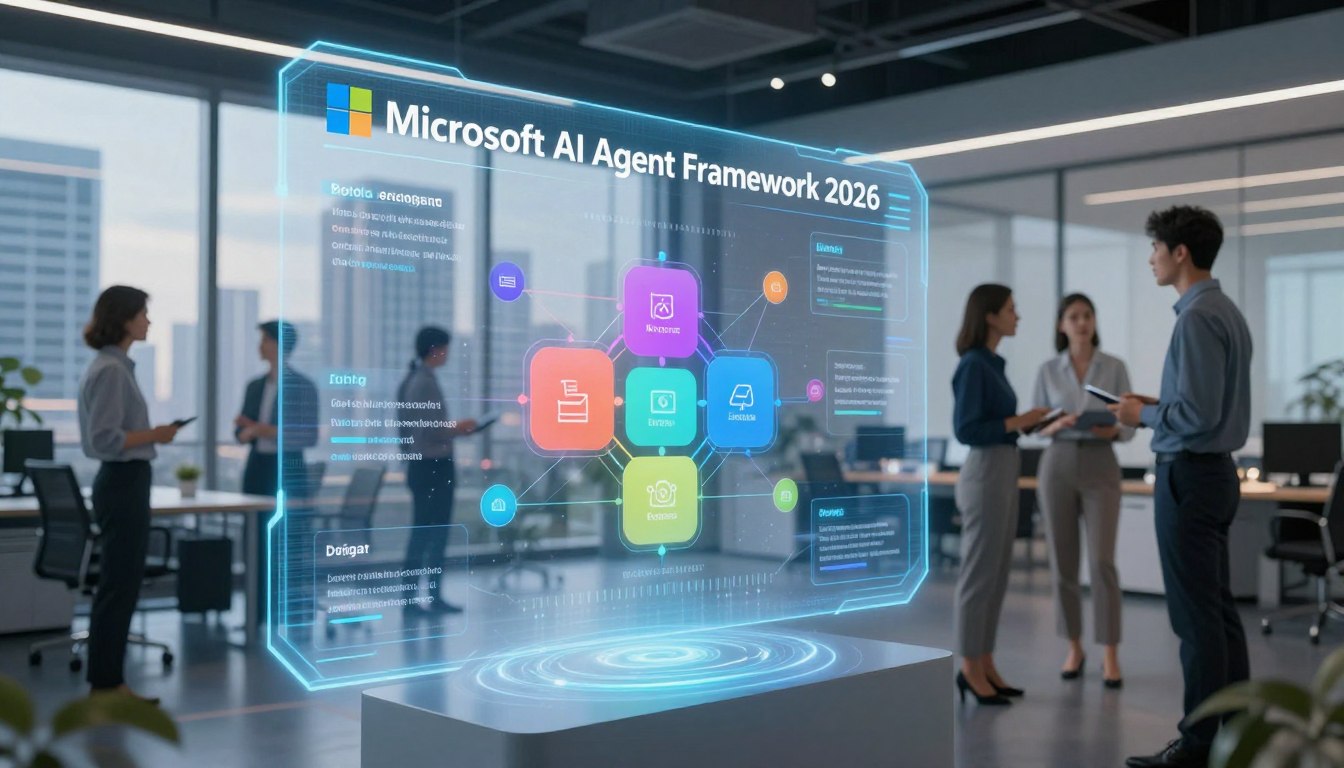
On April 3, 2026, a significant milestone was achieved with the release of a new open-source SDK designed for building intelligent systems. This framework combines the strengths of previous technologies, offering a robust solution for developers. It allows the creation of sophisticated agents and multi-agent workflows using popular programming languages like .NET and Python.
This guide will take you through the essential features of this innovative tool. You will learn how it simplifies the development process, making it easier to create autonomous systems that can collaborate effectively. With a focus on long-term support and stable APIs, this framework sets a new standard for enterprise-level AI development.
As you explore this resource, you will find valuable insights into how to leverage the capabilities of the framework for real-world applications. Whether you are a seasoned developer or just starting, this guide aims to equip you with the knowledge to harness the power of intelligent agents.
Key Takeaways
- Learn about the unified successor to previous technologies, enhancing agent development.
- Discover the benefits of stable APIs and long-term support for enterprise applications.
- Understand the framework’s capabilities for stateful execution and workflow orchestration.
- Explore the integration of various protocols for seamless communication between agents.
- Find out how to transition from prototypes to reliable production systems.
Introduction to the Microsoft AI Agent Framework 2026
A revolutionary open-source SDK has been launched, setting the stage for advanced intelligent systems. This framework is specifically designed to assist developers in creating AI agents and multi-agent workflows. With a strong foundation in enterprise requirements, it promises to keep production systems running smoothly.
Let’s dive into what makes this framework unique. The framework provides two primary capability categories:
- Agents: These are long-lived runtime components that utilize large language models. They interpret inputs, call tools and Model Context Protocol (MCP) servers, maintain session state, and generate meaningful responses.
- Workflows: This aspect involves graph-based orchestration engines that connect agents and functions. They enforce execution order and support advanced scenarios like checkpointing and human-in-the-loop decision points.
Understanding the significance of this framework is crucial for modern enterprise workflows. Built by the same teams behind AutoGen and Semantic Kernel, it was announced in October 2025 as the single orchestration SDK moving forward. This unification combines the best features of previous systems into one powerful solution.
Moreover, the framework addresses challenges that arise after the prototype phase. These include integration overhead, authentication flows, and grounding agents in enterprise knowledge. It ensures that agents can operate reliably under real production loads.
Developers are particularly excited about the clear separation of responsibilities. Agents focus on reasoning and interpretation, while workflows manage execution policy and control flow. This separation simplifies the process of building and maintaining complex systems.
Additionally, the framework offers provider-agnostic model access. Its deep integration with Microsoft Foundry allows teams to utilize the models and cloud services that best fit their stack, all without vendor lock-in.
Ultimately, this framework is crafted for real-world applications. Agents require isolation between sessions, durable state, and a runtime capable of withstanding actual load—not just demos and prototypes.
Key Concepts and Architecture of the Microsoft AI Agent Framework 2026
This SDK’s architecture represents a significant leap forward in how intelligent systems are constructed. Understanding its core components is essential for developers aiming to leverage its capabilities effectively.
Agents vs. Workflows: Separation of Responsibilities
The framework introduces a clear separation of responsibilities. Agents focus on reasoning and interpretation, while workflows manage execution policy and control flow. This design decision simplifies the complexity of multi-agent systems, making them easier to understand and manage.
Core Building Blocks: Model Clients, Sessions, Context Providers, and Middleware
Several core building blocks make up the architecture:
- Model Clients: Handle chat completions and responses, allowing flexibility in choosing the right model for each task.
- Agent Sessions: Manage state and conversation, ensuring agents maintain context throughout interactions.
- Context Providers: Facilitate memory and retrieval, grounding agent responses in enterprise knowledge.
- Middleware Pipeline: An interception layer for filtering, telemetry, and responsible AI guardrails.
- MCP Clients: Enable dynamic tool discovery and invocation, allowing agents to access external tools seamlessly.
Graph-Based Workflow Engine and Multi-Agent Orchestration
The graph-based workflow engine supports multi-agent orchestration. It allows for various patterns, such as:
- Sequential handoffs
- Group chat collaboration
- The sophisticated Magentic-One pattern for task-oriented reasoning and planning
This architecture provides fine-grained control over execution order while granting agents the autonomy to reason and collaborate effectively.
| Component | Description |
|---|---|
| Model Clients | Manage chat completions and responses from various providers. |
| Agent Sessions | Handle state and conversation management for continuity. |
| Context Providers | Enable memory and retrieval of important information. |
| Middleware Pipeline | Injects logic for filtering and telemetry without altering core logic. |
| MCP Clients | Facilitate tool discovery and invocation dynamically. |
New Features in Microsoft AI Agent Framework 1.0 GA Release
The release of version 1.0 marks a pivotal moment in the evolution of intelligent systems. This transition from Release Candidate to General Availability brings a wealth of new features that enhance stability and support for developers.
One of the standout features is the Production-Ready Stability. With stable APIs and versioned releases, teams can confidently build their roadmaps. This commitment to long-term support is crucial for enterprise applications.
Production-Ready Stability and Long-Term Support
Version 1.0 ensures that developers have a solid foundation to rely on. The stable APIs allow for smoother integration and fewer disruptions during deployment.
Agent-to-Agent (A2A) Communication Protocol
Another exciting addition is the Agent-to-Agent (A2A) communication protocol. This structured messaging system enables agents to communicate seamlessly across different runtimes. For instance, a Python agent can coordinate effortlessly with a .NET agent.
Model Context Protocol (MCP) Integration
The full integration of the Model Context Protocol (MCP) allows agents to dynamically discover and invoke external tools. This feature eliminates the need for manual integration code, streamlining the development process.
Middleware Pipeline and Responsible AI Enhancements
The new middleware pipeline architecture lets developers inject logic into the agent’s execution loop. This means adding content safety filters, logging, and compliance checks globally without altering core prompts.
DevUI Debugger for Local Visual Debugging
Finally, the DevUI Debugger is a game-changer. This browser-based tool provides a real-time visual representation of agent message flows, tool calls, and state changes. Developers can easily monitor and debug their agents at every step.
These features work together to create a development experience where you can build, test, debug, and deploy sophisticated multi-agent workflows with confidence. The underlying framework supports you in production, ensuring your systems run smoothly.
| Feature | Description |
|---|---|
| Production-Ready Stability | Stable APIs and versioned releases ensure reliability. |
| A2A Communication Protocol | Enables seamless communication between agents across runtimes. |
| MCP Integration | Allows dynamic discovery and invocation of external tools. |
| Middleware Pipeline | Injects logic into agent execution without modifying core prompts. |
| DevUI Debugger | Provides real-time visual debugging of agent flows and states. |
Understanding Microsoft AI Agent Framework 2026: Core Components and Patterns
Diving into the core components of this innovative system reveals essential patterns and tools that enhance agent collaboration. This framework offers a variety of multi-agent orchestration patterns that are fundamental for creating efficient workflows.
Multi-Agent Orchestration Patterns: Sequential, Group Chat, and Magentic-One
First, let’s explore the orchestration patterns that ship as first-class primitives in the framework:
- Sequential Patterns: These enable linear handoffs between specialized agents. Each agent handles its part of a complex task before passing it along, ensuring a smooth workflow.
- Group Chat Patterns: In this collaborative reasoning setup, multiple agents discuss problems together. They arrive at solutions through conversation, much like a team of human experts brainstorming around a table.
- Magentic-One Patterns: This sophisticated approach is designed for task-oriented reasoning and planning. It empowers agents to break down complex objectives, plan their approach, and execute multi-step workflows with minimal human intervention.
Agent Harness and Agent Skills Explained
The Agent Harness serves as the execution layer, providing agents with controlled access to the shell, file system, and messaging loops. This ensures they have the necessary tools while maintaining security and governance boundaries.
Additionally, Agent Skills are a portable format for packaging domain expertise. These skills can be file-based or code-defined, making it easy to version, share, and discover capabilities across your organization. In the Foundry project-scoped catalog, skills are now first-class citizens, discoverable as MCP resources by any agent in your project.
By understanding these core components and patterns, developers can create sophisticated, collaborative agent systems. These systems are well-equipped to tackle real enterprise challenges, balancing autonomy and control effectively.
| Pattern | Description |
|---|---|
| Sequential | Linear handoffs between specialized agents for complex tasks. |
| Group Chat | Collaborative reasoning where agents discuss and solve problems. |
| Magentic-One | Task-oriented reasoning and planning for multi-step workflows. |
Getting Started with Microsoft AI Agent Framework 2026 Development
Starting your development with this cutting-edge SDK opens new doors for creating advanced intelligent systems. Whether you’re a seasoned developer or just beginning, this framework offers the tools you need to succeed.
One of the standout features is its provider-agnostic model access. This allows you to easily switch between various providers like Azure OpenAI, Anthropic, and Google Gemini with minimal code changes. This flexibility ensures you can choose the best model for each task without rewriting your application.
Provider-Agnostic Model Access and Session Management
The framework simplifies session management. It automatically handles state and conversation context. This means your agents can maintain coherent, multi-turn interactions effortlessly.
Python and .NET Language Support and Example Code
Get your hands dirty with real code examples that show just how easy it is to get started. Here’s a quick look at how to create a fully functional AI agent in both .NET and Python:
using Azure.AI.Projects;
using Azure.Identity;
using Microsoft.Agents.AI;

AIAgent agent = new AIProjectClient(new Uri("https://your-foundry-service.services.ai.azure.com/api/projects/your-project"), new AzureCliCredential())
    .AsAIAgent(model: "gpt-5.4-mini", instructions: "You are a friendly assistant. Keep your answers brief.");
Console.WriteLine(await agent.RunAsync("What is the largest city in France?"));
from agent_framework.foundry import FoundryChatClient;
from azure.identity import AzureCliCredential;

client = FoundryChatClient(project_endpoint="https://your-foundry-service.services.ai.azure.com/api/projects/your-project", model="gpt-5.4-mini", credential=AzureCliCredential());
agent = client.as_agent(name="HelloAgent", instructions="You are a friendly assistant. Keep your answers brief.");
result = await agent.run("What is the largest city in France?");
print(result)
Both examples demonstrate how to achieve session-aware agent execution with minimal setup.
Minimal Setup for Production-Ready Agents
The minimal setup approach allows you to go from zero to a production-ready agent in minutes. Each agent you build includes the session management, model flexibility, and deployment paths necessary for real-world use.
Additionally, the Foundry Toolkit for VS Code streamlines your development workflow. It enables you to create agents from templates, test and debug locally, and deploy directly to the Foundry Agent Service—all without leaving your editor.
Getting started doesn’t mean sacrificing production readiness. The framework ensures every agent is equipped for real-world applications from the very first line of code.
| Feature | Description |
|---|---|
| Provider-Agnostic Access | Seamlessly switch between various AI models without extensive code changes. |
| Session Management | Automatically handles context and state for coherent interactions. |
| Multi-Language Support | Offers identical API parity across .NET and Python. |
| Minimal Setup | Get production-ready agents running in minutes. |
| Foundry Toolkit | Streamlines development, testing, and deployment processes. |
When and How to Use Microsoft AI Agent Framework 2026
Choosing the right approach within the SDK can significantly enhance your development experience. Understanding when to use agents versus workflows is essential for creating effective systems. Microsoft provides clear guidance to help you make this important decision.
Use Cases Best Suited for Agents vs. Workflows
Agents are best utilized when the task is open-ended, requires autonomous tool use, or involves a single decision point. For example, if you need a system that can handle various customer inquiries without strict guidelines, an agent is the way to go.
On the other hand, workflows shine when steps are well-defined, execution order matters, or multiple agents and functions need to collaborate. If your project requires compliance and a clear audit trail, opting for a workflow is advisable.
Microsoft emphasizes a key principle: if you can solve the task with deterministic code, do that instead of using an AI agent. This approach keeps your systems simpler and more predictable.
Enterprise Workflows and Autonomous Tool Use
In enterprise settings, the combination of agents and workflows can lead to impressive results. Agents can autonomously use tools to perform tasks, while workflows provide the necessary control for compliance and monitoring.
By leveraging both paradigms, you can avoid over-engineering your solutions. This ensures that AI is used where it adds real value while keeping the rest of your system efficient and reliable.
For instance, consider a customer support scenario. An agent can handle open-ended conversations, while a workflow manages ticketing and follow-up processes. This synergy maximizes efficiency and enhances user satisfaction.
Ultimately, the framework supports both agents and workflows equally well. You can mix and match them within the same application as your needs evolve over time, giving you the flexibility to adapt to changing requirements.
Building Multi-Agent Workflows with Microsoft AI Agent Framework 2026
Building effective multi-agent workflows is easier than ever with the new tools available in this SDK. This framework supports declarative YAML configuration for complex workflows, enabling developers to define their orchestration in a clear and version-controlled manner.
YAML-based configurations allow for reproducible agent setups. This means you can confidently move your workflows from development to production, knowing they will behave consistently every time.
Declarative YAML Configuration for Complex Workflows
- Discover how declarative YAML configuration makes building complex multi-agent workflows a breeze. You can define your entire orchestration in version-controlled files that are easy to read, share, and deploy consistently across environments.
- Learn how YAML-based workflow definitions enable reproducible agent configurations. You can promote your workflows from development to staging to production, ensuring they behave exactly the same way every time.
Handling Checkpointing and Human-in-the-Loop Scenarios
- Explore the powerful checkpointing capabilities that let your workflows save their state at specific points. If something goes wrong, you can resume from those checkpoints, preventing lost work and enabling long-running processes that can recover gracefully from failures.
- Understand how human-in-the-loop scenarios give you fine-grained control over sensitive operations. You can pause workflow execution for human approval or input before proceeding with actions that require oversight.
- See how these features combine to create production-grade multi-agent systems. You can trace every decision, recover from any failure, and maintain the right balance of autonomy and human control for your organization’s risk tolerance.
Get practical tips on designing your YAML configurations for maximum clarity and maintainability. Use meaningful names, clear comments, and modular structures that your whole team can understand and modify.
Appreciate how checkpointing and human-in-the-loop support make this framework suitable for regulated industries. Audit trails and approval workflows are essential requirements for any AI system, and this framework meets those needs.
Integration and Interoperability within Microsoft Ecosystem and Beyond
Deep connections with Microsoft Foundry and Azure AI Services elevate the functionality of intelligent agents. This framework offers seamless integration, making it a natural choice for teams already invested in the Microsoft ecosystem.
Deep Integration with Microsoft Foundry and Azure AI Services
Explore how this framework integrates deeply with Microsoft Foundry and Azure AI services. This integration provides access to Azure OpenAI, content understanding, and responsible AI guardrails. Such capabilities enhance the overall performance of agents.
With Azure Content Understanding, your agents gain multimodal capabilities. They can parse, classify, and extract information from documents and images. This reduces token costs by over 80% with prebuilt analyzers, making your workflows more efficient.
Cross-Framework Compatibility: Anthropic, Bedrock, Ollama, and More
Learn about the impressive cross-framework compatibility that extends beyond Microsoft’s own services. This framework supports integration with Anthropic, Amazon Bedrock, Google Gemini, and Ollama. This flexibility allows you to choose the models that best fit your needs and budget.
Agent-to-Agent Communication Across Runtimes
Understand how the Agent-to-Agent (A2A) communication protocol enables seamless collaboration between agents running on different runtimes. Your Python agents and .NET agents can work together as one cohesive system.
Foundry supports both outbound A2A, where agents can call remote agents as tools, and incoming A2A. This allows you to expose any Foundry agent as an A2A endpoint discoverable through its agent card.
Appreciate the framework-agnostic design of Foundry Agent Service. It lets you deploy agents built with various SDKs without rewrites, using either the Responses API or the Invocations protocol. This interoperability positions the framework as a hub for multi-agent collaboration, breaking down silos between different frameworks, clouds, and organizations.

Runtime and Deployment for Microsoft Agent Framework Agents
The runtime and deployment capabilities of the latest agent framework are crucial for effective agent management. This section explores how hosted agents in the Foundry Agent Service enhance operational efficiency and security.
Hosted Agents in Foundry Agent Service
Hosted agents in the Foundry Agent Service reached general availability shortly after Build 2026. Each session runs in its own sandbox, providing dedicated compute, memory, and filesystem isolation. This ensures maximum security and reliability for your agents.
The runtime is framework-agnostic, supporting agents built with various SDKs. This means you can deploy agents created with the Microsoft Agent Framework, GitHub Copilot SDK, LangGraph, or others without needing to rewrite any code. You can utilize either the Responses API or the flexible Invocations protocol for seamless integration.
Isolation, Durability, and Long-Running Autonomous Agents
Long-running autonomous agents, such as OpenClaw and Hermes, benefit from durable state and file system access. This capability allows them to run continuously, enabling scenarios like overnight GitHub repository monitoring with automatic issue triage and morning summary posts to Teams.
Moreover, routines, currently in public preview, let you operationalize any agent on a timer or schedule. This transforms your agents from simple responders into proactive workers that execute tasks automatically when needed.
Publishing Agents to Microsoft Teams and Microsoft 365 Copilot
Publishing your agents directly to Microsoft Teams and Microsoft 365 Copilot became generally available shortly after Build 2026. This integration allows your AI assistants to be embedded in the collaboration tools your users access daily. Identity, permissions, and policy flow through automatically, simplifying management.
Additionally, the new autopilot agents can act independently with their own Entra Agent ID, email address, and Microsoft Teams presence. They can initiate conversations, collaborate on shared files, and follow up on action items over time.
Every action taken by autopilot agents is attributable, auditable, and governed via Agent 365 in the Microsoft Admin Center. This feature provides the control and visibility necessary for enterprise compliance.
| Feature | Description |
|---|---|
| Hosted Agents | Managed runtime with sandbox isolation for security and reliability. |
| Framework-Agnostic | Supports multiple SDKs without code rewrites. |
| Long-Running Agents | Durable state and file system access for continuous operation. |
| Routines | Operationalize agents on a timer or schedule. |
| Publishing to Teams | Direct integration with collaboration tools for seamless use. |
| Autopilot Agents | Independent agents with their own identity and permissions. |
Tools and Memory Management in Microsoft AI Agent Framework 2026
The tools and memory management features in the latest SDK offer a streamlined approach to developing intelligent systems. Understanding these elements is crucial for creating effective agents that can perform tasks autonomously.
Toolboxes for Unified Endpoint Management and Authorization
Toolboxes in Foundry simplify tool management by providing your agent with a single managed endpoint for every tool type. This feature handles authentication, lifecycle, and governance efficiently. You can configure once and let Foundry take care of the rest.
Skills are now first-class, versioned assets in a project-scoped catalog. They are discoverable as MCP resources by any agent in your project, making it easy to build reusable capabilities that your entire team can leverage.
Additionally, the intelligent tool search feature helps your agents select the right tools for each task. This prevents overwhelming the model with every available option, leading to more accurate and cost-effective tool usage.
Memory Types: Procedural, User, and Session Memory
The memory in Foundry Agent Service includes three types that enhance your agents’ capabilities:
- Procedural Memory: This type allows agents to learn how to perform tasks across runs. Early Tau-bench results show impressive +7-14% absolute success-rate gains at near-baseline costs.
- User Memory: This memory type remembers preferences and facts across sessions. As a result, your agents can personalize interactions based on what they’ve learned about each user over time without needing to be re-instructed.
- Session Memory: This memory maintains context within a conversation thread. It ensures that agents do not lose track of what has been discussed, even in long-running, multi-turn interactions.
Using Azure Content Understanding for Multimodal Agents
Azure Content Understanding provides prebuilt analyzers for parsing documents, images, and more. Upcoming features will include an agentic mode that enables multi-step document workflows with minimal orchestration and over 80% token cost reduction.
By integrating these memory types and tools, developers can create more intelligent and efficient agents. This leads to better user experiences and enhanced performance across various applications.
| Memory Type | Description |
|---|---|
| Procedural Memory | Enables agents to learn across runs, improving task success rates. |
| User Memory | Remembers user preferences for personalized interactions. |
| Session Memory | Keeps track of context in ongoing conversations. |
Observability and Optimization with Microsoft AI Agent Framework 2026
In June 2026, the observability and optimization features of the new SDK were fully unveiled, enhancing the capabilities of intelligent systems. These tools provide developers with essential insights into their agents’ performance, allowing for better management and improvement over time.
One of the standout features is the end-to-end tracing and evaluation system. This became generally available in June 2026, giving you complete visibility into every model call, tool invocation, sub-agent hop, and handoff through a single OpenTelemetry pipeline. Evaluations link directly back to the traces that produced them, ensuring that when a regression occurs, you can pinpoint the exact production trace that exposed it.
Tracing, Evaluation, and OpenTelemetry Integration
With the integration of OpenTelemetry, you can now trace every interaction within your intelligent systems. This level of detail helps you understand the performance of your agents and identify areas for improvement.
Agent Optimizer for Closed-Loop Improvement
The Agent Optimizer is a powerful closed-loop improvement system. It consumes production traces and evaluations, generating ranked candidate improvements across prompts and skills. Each candidate is validated against scenarios and constraints, and the system recommends the best option with full lineage, diffs, audit trails, and rollback capabilities.
Using Azure AI Foundry for Responsible AI Guardrails
Azure AI Foundry enhances the development process by providing responsible AI guardrails. This includes task-adherence controls that keep agents focused on their tasks, PII protection that flags sensitive data access, and prompt injection defenses to protect against adversarial inputs.
Moreover, the Rubric feature defines what “good” looks like for your agents. It generates weighted evaluation criteria covering task success, tone, safety, cost, and latency. Every run is scored against these criteria automatically, allowing for continuous improvement.
Finally, the reflective observe-evaluate-optimize-deploy cycle turns every production interaction into an opportunity for measurable improvement. This process allows you to see exactly what improved, what regressed, and why, ensuring your systems are always evolving.
| Feature | Description |
|---|---|
| Tracing and Evaluation | Complete visibility into every model call and tool invocation through OpenTelemetry. |
| Agent Optimizer | Generates ranked improvements and recommends the best option with full lineage. |
| Responsible AI Guardrails | Includes task-adherence controls and PII protection for secure operations. |
| Rubric | Defines success criteria for agents, scoring every run automatically. |
| Continuous Improvement Cycle | Transforms interactions into opportunities for measurable enhancements. |
Comparing Microsoft AI Agent Framework 2026 to Other AI Agent Frameworks
The landscape of intelligent systems is evolving, and understanding the differences between various frameworks is essential for developers. As you consider your options, it’s important to compare how different frameworks stack up against each other.
When looking at alternatives like LangChain, CrewAI, and LlamaIndex, there are several key differences to note:
Key Differences vs. LangChain, CrewAI, LlamaIndex, and Others
- Enterprise Readiness: The Microsoft framework prioritizes enterprise readiness and interoperability with native A2A and MCP support. This ensures smooth cross-framework tasks.
- API Parity: It offers identical API parity for both .NET and Python, making it the ideal choice for .NET enterprise teams.
- Control Model: The graph-based deterministic workflows provide explicit control over execution paths, allowing for checkpointing and human-in-the-loop support.
- Integration: Deep integration with Microsoft Foundry and Azure AI services provides enterprise-grade observability and responsible AI guardrails.
- Unified Successor: This framework serves as the unified successor to AutoGen and Semantic Kernel, combining their strengths into a single, supported SDK.
Now, let’s take a closer look at the strengths of this framework in enterprise environments:
Strengths in Enterprise Readiness and Ecosystem Integration
- Deployment Paths: It offers deployment paths that would require significant additional engineering with cloud-agnostic alternatives.
- Observability: The integration with Azure AI services ensures robust observability, making it easier to monitor and optimize agent performance.
- Compatibility: For teams currently using Semantic Kernel or AutoGen, this framework provides a forward-compatible path, simplifying transitions.
- Choice of Tools: The right choice of framework depends on your existing stack. Choose this framework for first-party support within the Microsoft ecosystem.
- Flexibility: If broad provider flexibility is needed, LangChain might be a better fit, while CrewAI is suitable for rapid role-based prototyping.
| Feature | Microsoft Agent Framework | LangChain | CrewAI | LlamaIndex |
|---|---|---|---|---|
| Enterprise Readiness | High | Moderate | Moderate | Low |
| API Parity | .NET and Python | Primarily Python | Primarily Python | Python |
| Control Model | Graph-based deterministic | High-level abstractions | Role-based | Event-driven |
| Integration | Deep with Microsoft services | Cloud-agnostic | Intuitive mental model | Document-heavy pipelines |
Migration Path: From Semantic Kernel and AutoGen to Microsoft Agent Framework
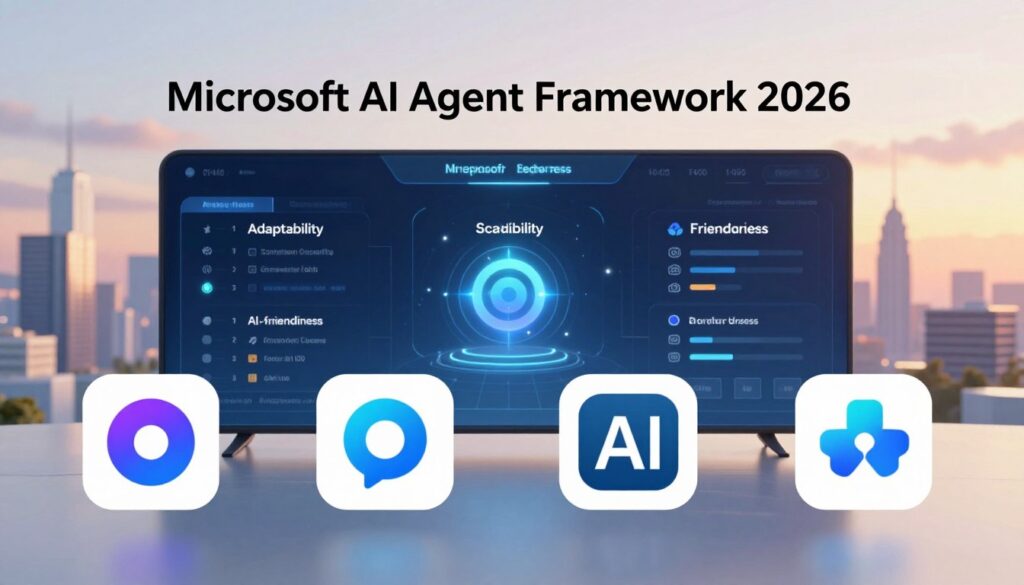
Transitioning to the latest agent framework is an essential step for developers looking to enhance their systems. Microsoft provides dedicated migration assistants that analyze your existing Semantic Kernel and AutoGen code. These tools generate step-by-step plans to upgrade to the new standards.
These migration assistants scan your current projects, identify patterns and APIs that need updating, and produce detailed, actionable plans. This guidance helps your team navigate the transition with minimal guesswork.
Understanding the support timeline is crucial. Microsoft has committed to maintaining Semantic Kernel v1.x with bug fixes and security patches for at least one year after the Agent Framework’s general availability. This means your existing applications can continue running safely while you plan your move.
Additionally, AutoGen will shift to maintenance mode on a similar timeline. All new feature investments will go exclusively to the new agent framework. This makes migration not just recommended but essential for accessing future innovations.
During the transition period, it’s important to maintain your legacy applications. Strategies include running both frameworks side by side and gradually migrating components. Using the Agent-to-Agent (A2A) protocol allows old and new agents to communicate during the phased rollout.
To prioritize your migration efforts, start with components that will benefit most from new features. Focus on graph-based workflows, Model Context Protocol (MCP) integration, and the middleware pipeline for responsible AI.
Feel confident that the migration path is well-supported and well-documented. It is designed to minimize disruption while maximizing the long-term benefits of moving to the unified, forward-looking agent framework platform.
Developer Experience and Tooling in Microsoft AI Agent Framework 2026
A new suite of developer tools has emerged, aimed at simplifying the creation and management of intelligent systems. The Foundry Toolkit for VS Code is a game-changer, offering a seamless experience for developers. With this toolkit, you can create agents from templates or leverage GitHub Copilot for assistance. Testing and debugging are made easy with full trace visualization, allowing you to inspect agent behavior step by step.
Moreover, you can connect to Toolboxes and deploy directly to the Foundry Agent Service, all within the familiar VS Code environment. This integration ensures that you never have to leave your favorite editor, streamlining your workflow significantly.
Foundry Toolkit for VS Code and Local Development
Discover how the Foundry Toolkit enhances your development process. It allows you to create agents effortlessly, test them locally, and deploy them with confidence. The intuitive interface ensures that both new and experienced developers can navigate the system easily.
Debugging with DevUI and Tracing Tools
Explore the DevUI debugger, a browser-based sample application that provides a real-time visual representation of agent message flows, tool calls, and state changes. This tool is invaluable for understanding what your agents are doing during local development.
While DevUI is a sample tool not intended for production use, it serves as a critical companion for local development. It helps you catch issues before they reach your users, ensuring a smoother experience.
The framework’s native OpenTelemetry instrumentation, enabled through the configure_otel_providers() function, allows you to route traces to observability platforms like LangSmith. This integration ensures that you can monitor your agents in production without adding unnecessary dependencies.
Appreciate how the combination of VS Code integration, local debugging tools, and OpenTelemetry tracing creates a complete observability pipeline. This setup helps you build, test, and monitor your agents with confidence, keeping you in your flow without the need to switch between different applications.
| Feature | Description |
|---|---|
| Foundry Toolkit for VS Code | Purpose-built developer experience for creating and deploying agents. |
| DevUI Debugger | Real-time visual representation of agent message flows and state changes. |
| OpenTelemetry Integration | Routes traces to observability platforms for production monitoring. |
| Agent Creation | Easy creation of agents from templates or with GitHub Copilot assistance. |
| Local Testing | Full trace visualization for debugging agent behavior step by step. |
Real-World Use Cases and Success Stories
Leading organizations are leveraging the capabilities of the latest SDK to revolutionize their operations. This section explores how various enterprises are applying these technologies to enhance their workflows and achieve significant productivity gains.
Enterprise AI Applications in Network Optimization and Energy
One of the standout examples comes from Telefonica Spain. Jaime Lluch, Head of Mobile Network Technology & Optimization, shared,
“The development and integration of mobile data model within Azure services put us in a privileged way to speed-up network optimization transformation program. Foundry Agent Service and Microsoft Agent Framework enable AI-solutions embedded both within and on top of mobile networks, which are a must in future network development towards 6G.”
This innovative approach positions Telefonica at the forefront of future network advancements.
Iberdrola also showcases the framework’s potential. Xabier Muruaga, Global Head of AI and Data, stated,
“Hosted agents in Foundry Agent Service provide a production-grade foundation for AI — combining identity, memory, security, and observability by design. This allows us to scale AI systems across critical energy operations with full control and trust.”
Their deployment of hosted agents illustrates the framework’s ability to support complex energy systems effectively.
Productivity Gains and Autonomous Agents in Action
Gulf Air has integrated the Foundry Agent Service with Voice Live. Ahmed Naeemi, Chief Information Officer, noted,
“The real-time conversational capability enables executives, including the CEO, leadership team, and operational management, to speak naturally and receive immediate, accurate spoken answers grounded in live operational data.”
This integration exemplifies how autonomous agents can enhance decision-making processes in real-time.
KPMG is building their global Workbench platform on hosted agents in Foundry Agent Service. Werner Vanzyl, Sr. Director, KPMG AI & Data Labs, remarked,
“Hosted agents in Foundry Agent Service will provide KPMG with the flexibility, observability, and control required to run agents at scale.”
This strategic move demonstrates the framework’s versatility across various use cases.
Lastly, NTT Data Group Corporation emphasizes the importance of the Agent Optimizer. Yuji Shono, Head of the Global AI Office, explained,
“Agent optimizer is a vital step in helping enterprises move AI agents beyond proof of concept and into trusted production use.”
This insight highlights the framework’s capability to enhance safety and reliability in production environments.
These success stories illustrate how autonomous agents are delivering real productivity gains across industries, from telecommunications and energy to aviation and professional services. The technology is ready for enterprise prime time, proving its effectiveness in driving innovation and efficiency.
Conclusion
As we conclude our exploration of the latest open-source SDK, it’s clear this release signifies a pivotal moment in intelligent systems development. This framework standardizes how agents communicate via the A2A protocol, discover tools through MCP integration, and process information with a robust middleware pipeline.
With a commitment to production stability and long-term support, this Microsoft agent framework empowers teams to confidently transition from prototypes to real-world applications. Remember to leverage workflows for structured processes while using agents for open-ended tasks.
Explore the vibrant ecosystem surrounding this technology, from its open-source roots on GitHub to comprehensive documentation available on Microsoft Learn. Whether you’re a .NET developer or a Python enthusiast, now is the time to dive in and shape the future of intelligent systems.







Comments are closed